
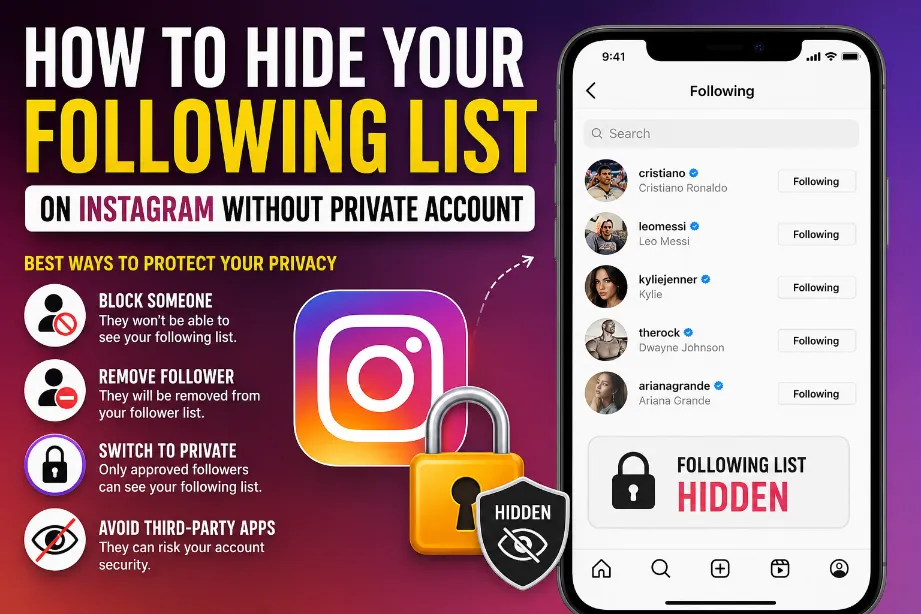
Instagram does not offer a direct setting that lets you hide your entire following list from everyone while keeping your account public. A public profile generally allows other users to open your profile and view the accounts you follow.
Still, you can reduce who can access your following activity by using Instagram’s privacy and account-management options.
Can You Hide Your Following List on a Public Instagram Account?
There is no official Instagram option called “Hide Following List” for public profiles. Your Followers and Following sections remain accessible to visitors unless Instagram applies a restriction to the account or a specific profile.
Here is what you can do:
| Method | Public Account | Hides Following List? |
|---|---|---|
| Block a person | Yes | Yes, from that person |
| Restrict a person | Yes | No |
| Remove a follower | Yes | No |
| Hide your story | Yes | No |
| Switch to private | No | More privacy |
| Block multiple accounts | Yes | Yes, from blocked users |
Block Someone to Hide Your Following List From Them
Blocking offers the clearest way to prevent a specific person from viewing your profile and following list.
To block an account:
- Open Instagram.
- Go to the person’s profile.
- Tap the three dots in the upper-right corner.
- Select Block.
- Confirm the action.
After blocking, that account cannot open your profile normally or view your following list.
This option works even with a public Instagram account.
Remove Someone From Your Followers
Removing a follower can help reduce access to your profile, but it does not hide your following list from that person if your account remains public.
To remove someone:
- Open your Instagram profile.
- Tap Followers.
- Find the account.
- Tap Remove.
- Confirm the removal.
A public account still allows that person to visit your profile again, so removal alone does not provide full privacy.
Restricting Someone Does Not Hide Your Following List
Instagram’s Restrict feature focuses mainly on comments, messages, and interactions. It does not work as a tool for hiding your following list.
You can use Restrict to limit someone’s interaction with your account, but their ability to view public profile information can remain.
Hide Your Following List From One Person
If your main goal is to stop one specific person from seeing the accounts you follow while keeping your account public, blocking that account is the most direct option.
You can also create a separate Instagram account for more private activity. This gives you greater control over who can see your connections.
Can You Hide Your Following List From Everyone?
Not fully, as long as your Instagram account remains public.
A public profile is designed to make profile information accessible to visitors. Instagram does not currently provide a setting that says “Hide Following List” while leaving every other part of the account public.
For stronger privacy, a private account gives you more control over who can access your profile and its connections.
Use a Private Account for Maximum Following Privacy
If hiding your following list from unknown users matters more than keeping your profile public, switching to a private account is the practical solution.
To switch your account:
- Open Instagram.
- Go to your profile.
- Tap the menu icon.
- Open Settings and activity.
- Find Account privacy.
- Turn on Private account.
You can then approve follower requests manually.
What Happens to Your Following List After Blocking Someone?
Blocking removes that person’s normal access to your Instagram profile. They cannot simply open your profile and browse your following list from the blocked account.
| Action | Can the person view your following list? |
|---|---|
| Public account + no restriction | Yes |
| Public account + Restrict | Usually yes |
| Public account + Remove follower | Usually yes |
| Public account + Block | No |
| Private account + person not approved | No |
Can You Hide Your Following List Without Blocking?
There is no reliable Instagram setting that provides this exact function on a public account.
Some third-party apps claim they can hide followers or following lists. Avoid giving these services your Instagram login details. They may request account access and create security or privacy risks.
Why Instagram Does Not Show a “Hide Following” Option
Instagram provides several privacy controls for stories, messages, comments, tags, mentions, and account visibility. The platform does not provide a separate public-account setting for completely hiding the Following section.
That means privacy around your following activity requires using the tools Instagram actually provides rather than relying on hidden settings or third-party applications.
Best Option Based on Your Goal
Your best method depends on who you want to keep away from your following list.
- One person: Block that account.
- Several specific accounts: Block each account.
- More control over profile visitors: Switch to a private account.
- Reduce unwanted interactions: Use Restrict.
- Keep your profile public: Blocking specific accounts is the strongest available option.
- Avoid account-security risks: Do not use apps claiming to unlock hidden Instagram privacy settings.
Final Thoughts
You cannot completely hide your Instagram following list from everyone while keeping your account public through a standard Instagram privacy setting. For one specific person, blocking provides the strongest option. For broader privacy, switching to a private account gives you more control over profile access.
Avoid third-party Instagram apps promising a secret “hide following list” feature. Using Instagram’s own privacy controls is the safer approach.
Can I hide my following list on Instagram without making my account private?
No. Instagram does not currently provide a setting that completely hides your following list while your profile stays public.
Can I hide my following list from one person?
Yes. Blocking that person prevents the blocked account from accessing your profile and following list.
Does Restrict hide my following list?
No. Restrict mainly limits interactions such as comments and messages. It does not provide a following-list privacy setting.
Does removing a follower hide my following list?
No. On a public account, removing someone from your followers does not stop them from visiting your public profile.
Can Instagram hide my following list automatically?
Instagram may limit access to certain profile information in specific situations, but there is no user-controlled setting that lets you permanently hide the full following list on a public profile.